Your QR Code
Every DJ gets a unique, permanent QR code. Fans scan it to reach your personal request page — no app download needed.
The QR Code page
Navigate to Dashboard → QR Code to see:
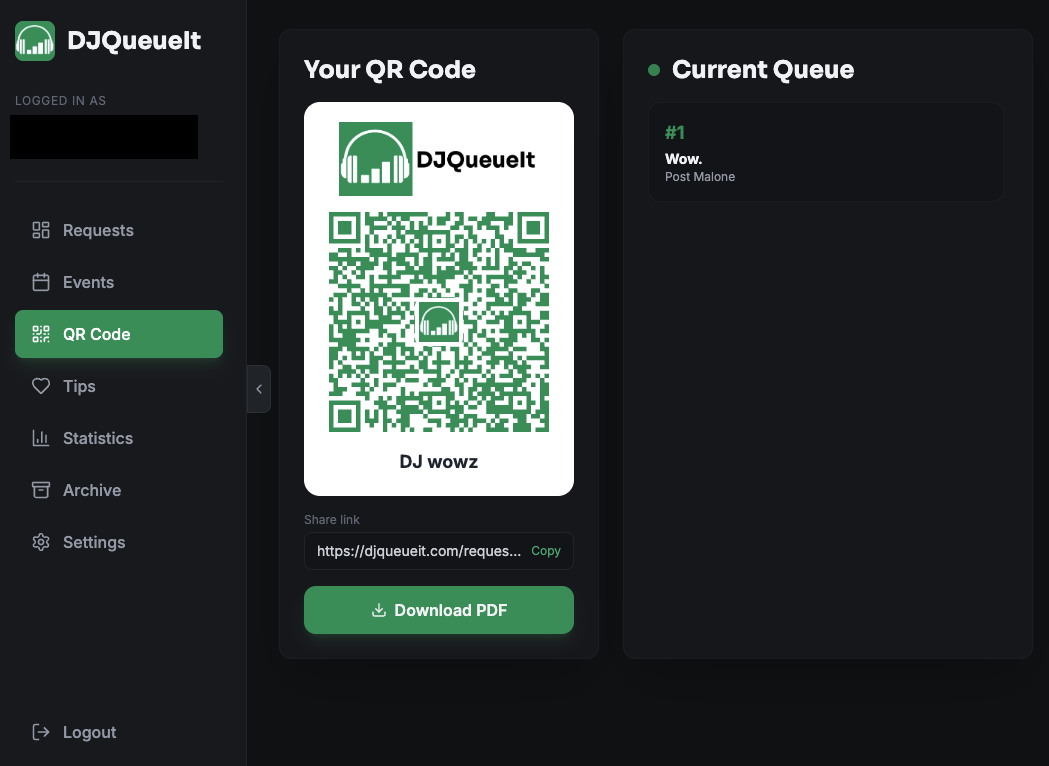
- Your QR code card — white card with your logo and DJ name
- Share link — a direct URL you can copy and share anywhere
- Live queue — the current request queue, updating in real time
Displaying your QR code
On screen during a set
The QR code card is always visible in your dashboard. Pull it up on a tablet or secondary monitor so fans can see it.
Downloading as a PDF
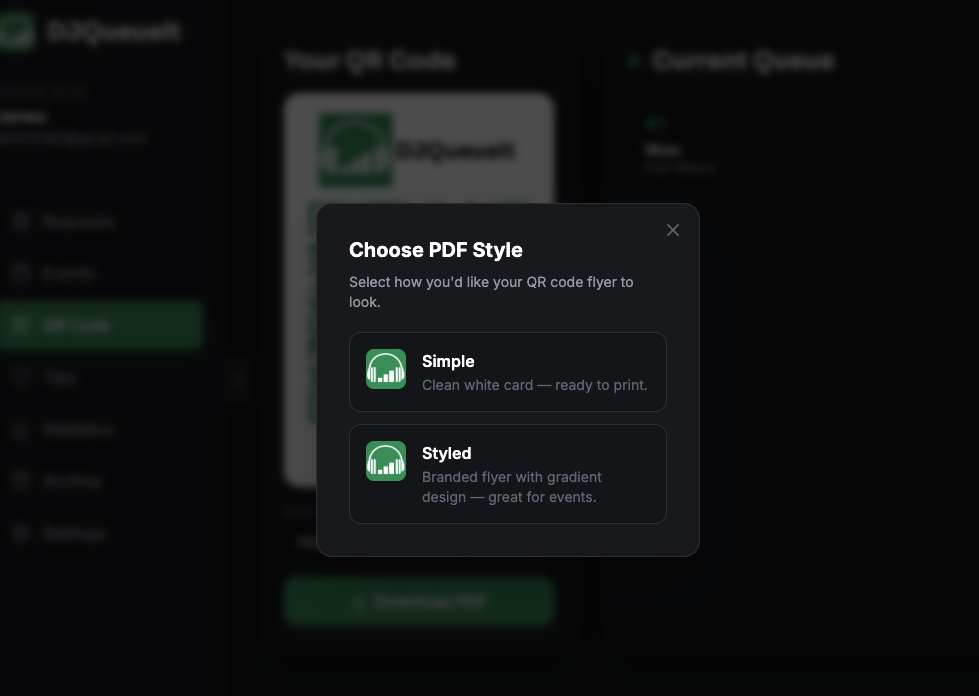
Click Download PDF and choose a style:
| Style | Description |
|---|---|
| Simple | Clean white card — perfect for printing and placing on tables |
| Styled | Dark branded flyer with gradient design — great for events and social |
PDFs are generated at a fixed resolution so they look identical regardless of your screen size.
Your share link
Your share link looks like:
https://djqueueit.com/request/abc123xyz
The token (abc123xyz) is permanent and tied to your account. Share it in your bio, on flyers, or anywhere online.
QR code specs
- Error correction: High (H) — the QR still scans even if partially obscured
- Format: SVG (scalable — crisp at any size)
- Colour: DJQueueIt green (
#0F9960) on white - Logo: DJQueueIt mark embedded in the centre
tip
Print your QR code at A4 or larger for best results in low-light venues. The high error correction level means it scans reliably even in imperfect lighting.